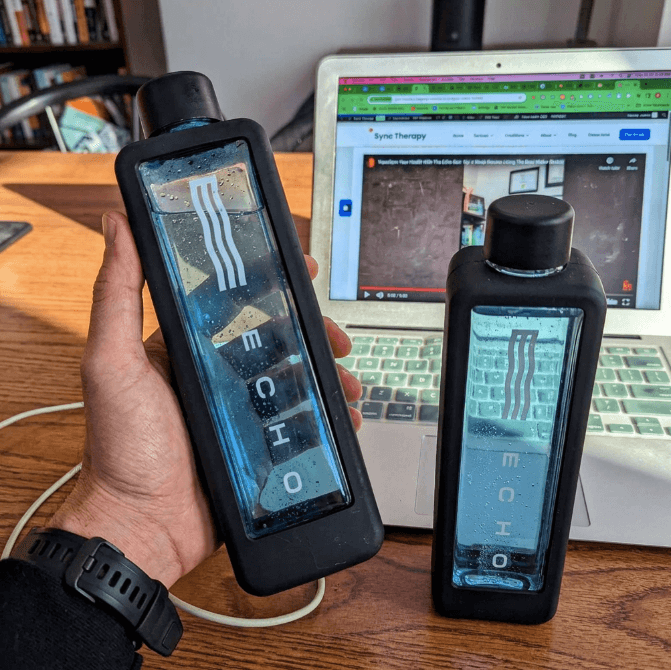
The Echo Flask is a reliable device, but like any electronic product, issues can come up. Most problems have simple fixes. Here's how to troubleshoot the most common Echo Flask issues—from hydrogen production problems to charging and app connectivity.
Echo Flask Not Producing Hydrogen
If you're not seeing bubbles or the hydrogen cycle doesn't seem to work, try these steps in order:
- 1Check battery level: A low battery can prevent the electrolysis process from running properly. Charge fully and try again.
- 2Use filtered water: Tap water with high mineral content or contaminants can interfere with hydrogen generation. Always use filtered water.
- 3Descale the electrodes: Mineral buildup is the most common cause. Run a monthly vinegar descaling cycle using 1/3 white vinegar and 2/3 warm distilled water, followed by the Clean Flask cycle.
- 4Check the gasket: Make sure the cap gasket is properly seated with the line side facing inward. A loose gasket can affect the seal.
If the Flask still doesn't produce hydrogen after cleaning and charging, contact Echo Water support. This may be a hardware issue covered under the 5-year warranty.
Echo Flask Not Charging
- 1Try a different USB-C cable: Cables wear out. Use a known-working cable.
- 2Try a different power source: Switch from a laptop USB port to a wall adapter, or vice versa.
- 3Check the charging port: Look for debris, lint, or moisture in the USB-C port. Use a dry, soft brush to clean it if needed.
- 4Let it dry: If any water got near the charging port during cleaning, let the Flask air dry completely before attempting to charge.
Warning: Never charge the Echo Flask if the charging port is wet. This can damage the electronics and may void your warranty.
Red Light Issues
A red light on the Echo Flask can indicate several things:
- Low battery: The most common cause. Charge the Flask fully and the light should clear.
- Device error: If the red light persists after charging, try restarting the Flask by holding the power button.
- Hardware issue: A persistent red light after restart and full charge may indicate a hardware problem. Contact Echo Water support—this is likely covered under warranty.
App Not Connecting
If the Echo Flask app won't connect to your bottle:
- 1Make sure Bluetooth is enabled on your phone
- 2Confirm the Echo Flask is powered on and within 3 feet
- 3Update the app to the latest version
- 4Remove the Echo Flask from your phone's Bluetooth device list and re-pair
- 5Restart both your phone and the Echo Flask
Note: The Echo Flask works fully without the app. All core features are accessible from the touchscreen. The app is optional for tracking and integrations.
When to Contact Echo Water Support
Contact Echo Water support if:
- The Flask still doesn't produce hydrogen after descaling and full charge
- The red light persists after restart and charging
- The Flask won't charge with multiple cables and adapters
- The touchscreen is unresponsive or shows errors
The Echo Flask includes a 5-year warranty that covers manufacturing defects and hardware malfunctions. Keep your proof of purchase ready.
More Echo Flask Guides
- → Echo Flask Review — Full specs, pros, cons, and verdict
- → Echo Flask Cleaning — Proper cleaning to prevent issues
- → Echo Flask Warranty — What's covered and how to claim
Buy Echo Flask
Use code: SYNCTHERAPY for 15% off
Get Echo Flask (15% Off)Free shipping on orders over $99 | 5-year warranty included